
Customized For Your League
See projections, rankings, dollar values, and more – all customized for your league format.
Track Your Entire Draft
Keep your eye on the big picture so you can react to the draft as it unfolds.
All The Tools You Need
Research players, dive into stats, check depth charts and more – everything is right at your fingertips.
FREE with RotoWire Subscription!
Full, unlimited access to our draft software is included for FREE with any paid RotoWire baseball subscription. After you subscribe, the download button below will be activated and you'll be able to use the software right away.
Looking for Mac OS X draft software?  Get It Here
Get It HerePacked With Tons of Useful Features
Custom Scoring
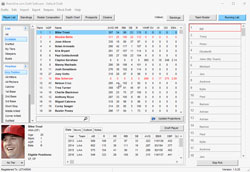
Choose your own scoring settings for rotisserie/points leagues.
Custom Auction Drafts
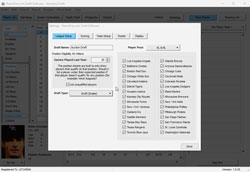
Use our software for your auction draft and customize the settings.
Custom Ranks/Values
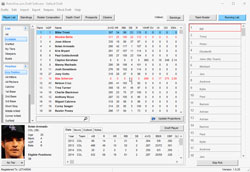
View custom rankings or auction dollar values – with projections.
Track Every Pick
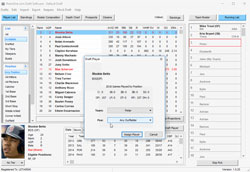
Track every pick during your draft and view all rosters.
Run Mock Drafts
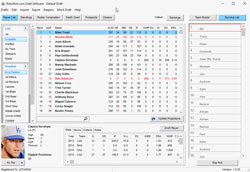
Run your own mock drafts from within the software.
Add Your Own Notes
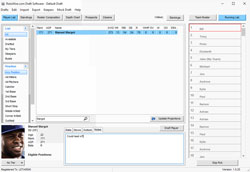
Track each pick during your draft and view all rosters.
Player News/Outlooks
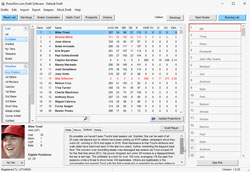
View 2024 outlooks and latest news on all players.
See Prospects/Closers
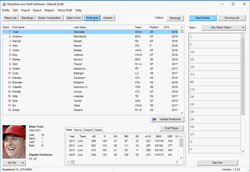
Easily browse the top fantasy prospects and every team's closer.
Editable Rankings
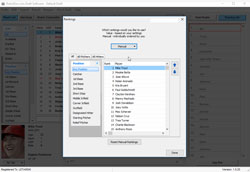
Create your own set of rankings for your draft if you want.
Color Coding
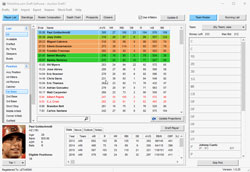
Mark player tiers, sleepers, and busts with different colors.
Sort & Filter
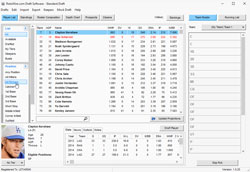
Sort and filter stats throughout our draft software.
Easy Export Options
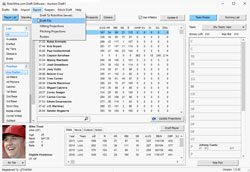
There are variety of ways to export data from the software.
Add/Edit Teams
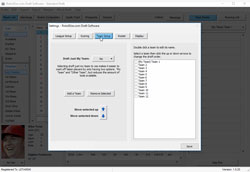
Name each team and set the draft order how you want it.
Calculate Inflation
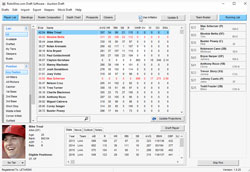
Use our software in your auction draft to calculate inflation.
Keeper League Tools
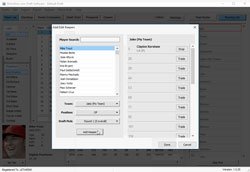
Add keepers to team rosters and even trade picks.
Frequently Asked Questions
Does the software require an internet connection for use during my draft?
No. All data for the software is stored on your PC, so internet access during your draft isn't required. However, it is recommended that you use the "Update Projections" button to update your data as close to your draft day as possible. This will ensure you get the most up-to-date projections and injury information during your draft.
What types of draft styles does the software support?
The software supports snake, straight or custom drafts, as well as auctions. Even if your league has a unique draft order or traded picks, our assignment of players is flexible so you can assign players to the correct teams.
Does the software run mock drafts?
Yes. The draft software uses an advanced AI that takes into account both value-based rankings and ADP. There is also a certain degree of randomization programmed in so your mock draft results are a bit different every time. Tip: Before beginning a mock draft, go to Drafts > Duplicate a draft. That way, you won't have to re-enter your settings when you want to start another mock draft.
Can the software run mock auctions?
This type of advanced AI is unfortuantely something that hasn't been developed yet, but we haven't ruled out the possibility of exploring ways to include it in future seasons.
Can the software be used for more than one draft?
Yes. Set up as many drafts as you'd like with the software, and go back to them at any point.
Can my friends log in to the software and participate in drafts?
The draft software is designed for individual users to monitor their drafts, but you can share any draft you make with any other RotoWire subscriber. Just go to Export > Draft File and you will generate a text file in .draft format that can be shared via an e-mail attachment or removable storage device.
Can I transfer a draft to other devices?
Yes. You can import/export drafts from PC to PC or between Mac/iOS devices. A PC to Mac export is not supported at this time. Please be sure you are logged in with the same RotoWire username on both devices. Also, tiers and notes do not transfer over during this process.
Will the software sync up with my league's live draft?
We unfortunately don't have the necessary access to third-party sites to support a direct sync at this time. However, a major focus of our software development has been making it easy to follow along with a live draft. In a snake draft, for example, it takes just two clicks to add a player to a team and move on to the next pick.
Can I sync the software's rosters to RotoWire's MLB Commish (our league hosting service)?
Yes. You will need to go to Export > Draft to RotoWire servers, and then e-mail support@rotowire.com to let us know your draft is ready to sync. The team names in the draft software will have to match up exactly with the team names in the MLB Commish.
How are the RotoWire MLB projections generated?
Projection guru and Fantasy Sports Trade Association Hall-of-Famer Jeff Erickson manually projects the players that are included in the software. These projections are constantly revisited and react to recent news updates, so we recommend updating your projections at least once every 24 hours. If you run an update and believe there is still something drastically wrong with a player projection, please e-mail support@rotowire.com and we will pass along your suggestion.
Does the software calculate inflation in auction formats (prices adjust based on players that have already been drafted)?
Yes. Please be sure the "Use Inflation" box is checked. Then, users can update the dollar values by clicking on the "Update $" button.
Why do players have negative values?
While the negative values may appear incorrect, they show up that way as a means to sort the rankings. If the negatives didn't show up, you would be left with a large group of players worth the minimum bid, and no way to rank them. Essentially all the negative players will only be worth the minimum bid based on our projections.
How are projected standings calculated?
The standings are calculated based on your league settings and the projections of the drafted players. Only players from the starting lineup are factored in the standings calculation.
When editing my league's scoring categories, why aren't certain categories (OBP, ERA, WHIP, Batting average) shown?
You may have accidentally selected your league's scoring style to be points instead of rotisserie. Points leagues have different point values for different categories. For example: 2 points for each stolen base and 1 point for each RBI.
Why aren't the players sorted by total points?
After entering your draft settings, the players will sort by their value-based rankings, which take position scarcity into account. For example, a catcher scoring less points than an outfielder may still appear ahead in the rankings, because the catcher position isn't as deep -- especially in two-catcher formats.
Can I add a scoring category to the software?
Only the settings offered in the software can be used in the calculation of the value-based rankings, though we've done extensive market research to help us include as many scoring categories as possible. If you believe we're missing an important scoring category, you can e-mail us at support@rotowire.com, and we will consider your suggestion next season.
Can I customize my Display Settings?
Yes. In the "Edit Draft Settings" menu, click on the "Display" tab to change the settings that will be displayed on the player list view.
Does the draft support keeper leagues?
Yes. Any players being kept can be added to teams, along with any draft pick penalty, before beginning the draft. The rankings do not adjust for keeper leagues due to the many different rules combinations (there's no "one size fits all" keeper league), but we do make player age easily viewable to help users make informed decisions. We also rank 400 MLB prospects to help owners in deep dynasty formats. Tip: If your keepers do not include a draft pick penalty, just add a round to your draft (via the roster settings) and add the player at that pick.
I cannot seem to unlock the draft software. What am I doing wrong?
First, please be sure you are entering your exact username and password (this information is case sensitive). If there is a problem with your username and password, you can e-mail support@rotowire.com to get a software unlock code. Note: Users on a trial subscription are allowed to download the software and view the customization options available, but full capabilities of the program, such as adding players to teams and updating projections, are reserved for paid subscribers.
Can I print my cheat sheet from the software?
Yes. Go to Export > Player List and you will get a full cheat sheet. From there, you can use the Sort function on Excel (or other program) to sort by value-based ranking, points, dollar values or ADP. The export also includes our full projections set.
What do I do if the software freezes, crashes or I need to report a bug?
First, we recommend closing and re-opening the program, as this fixes the great majority of minor problems. If the issue persists, please log the exact sequence you used to create the problem and e-mail the full description to support@rotowire.com (screenshots are helpful as well). Furthermore, go to Export > Draft File and attach the .draft file along with your message. Having this information helps us get the quickest fix possible. Our support team will then provide you with a temporary workaround, or at the very least, a timeline for an update containing a fix.
What do the different text colors signify on the player list?
If the text is red, the player has some type of injury. You can read more about this in the box at the bottom. If the text is blue, the player currently has a "minor league" designation in our database -- he's signed to a team, but not on the MLB roster.